Indonesian & English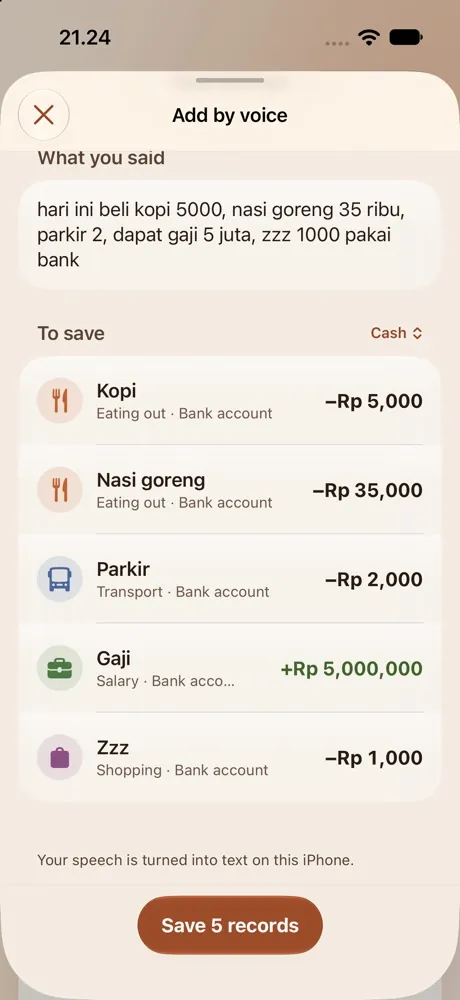
Say it
Each part of the sentence becomes its own record. On iOS 26 your voice is processed on the iPhone, even with Siri off.
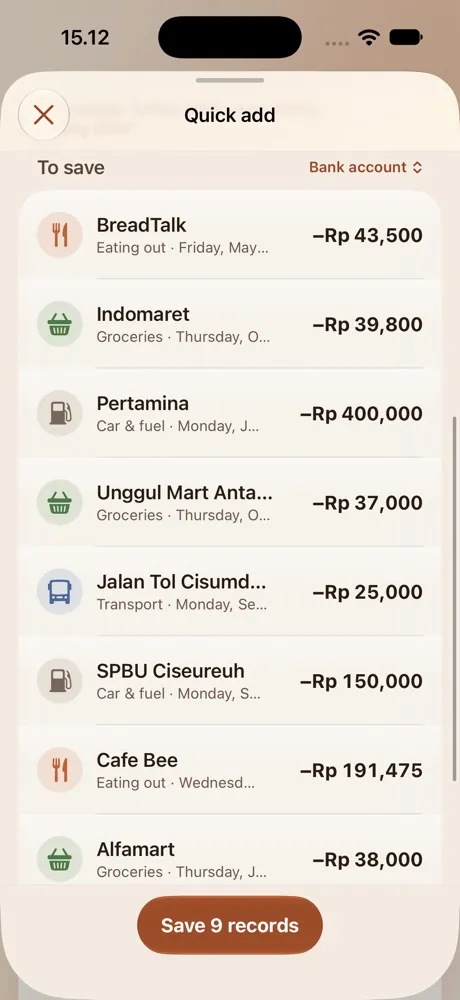
Scan a paper receipt, or pick up to 10 photos and payment screenshots at once. The store, date and total are read on your iPhone.
Sign in with Apple, Google or your email to keep your records synced and safe. Or use it without an account, and everything stays on your iPhone.
 Synced
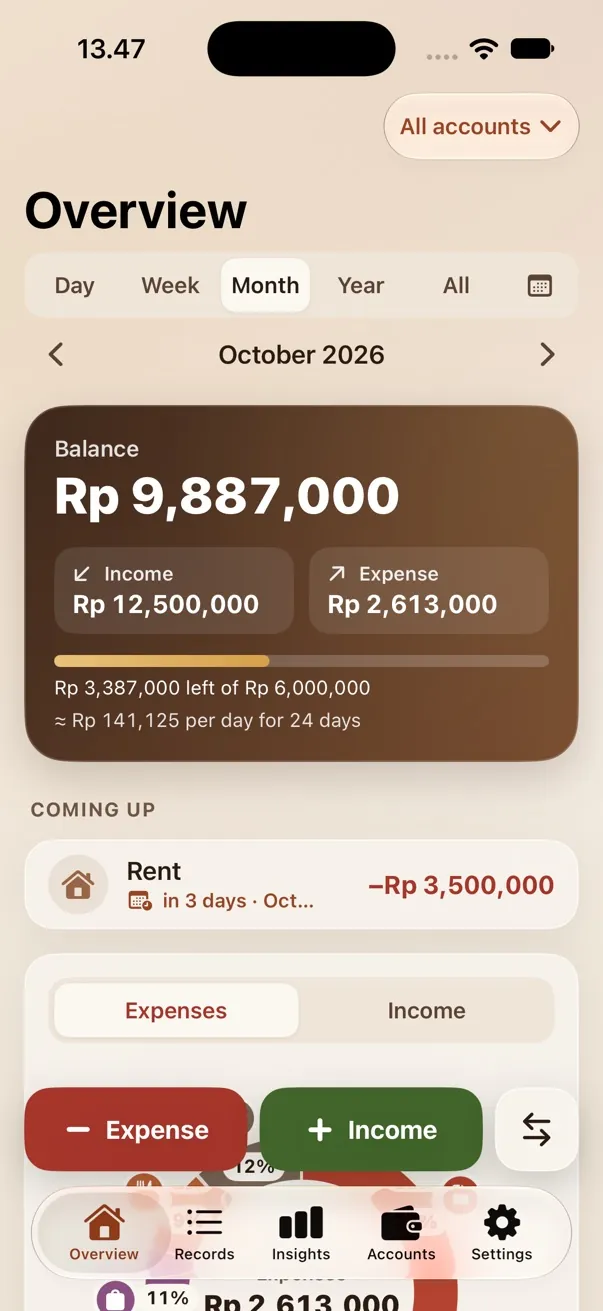
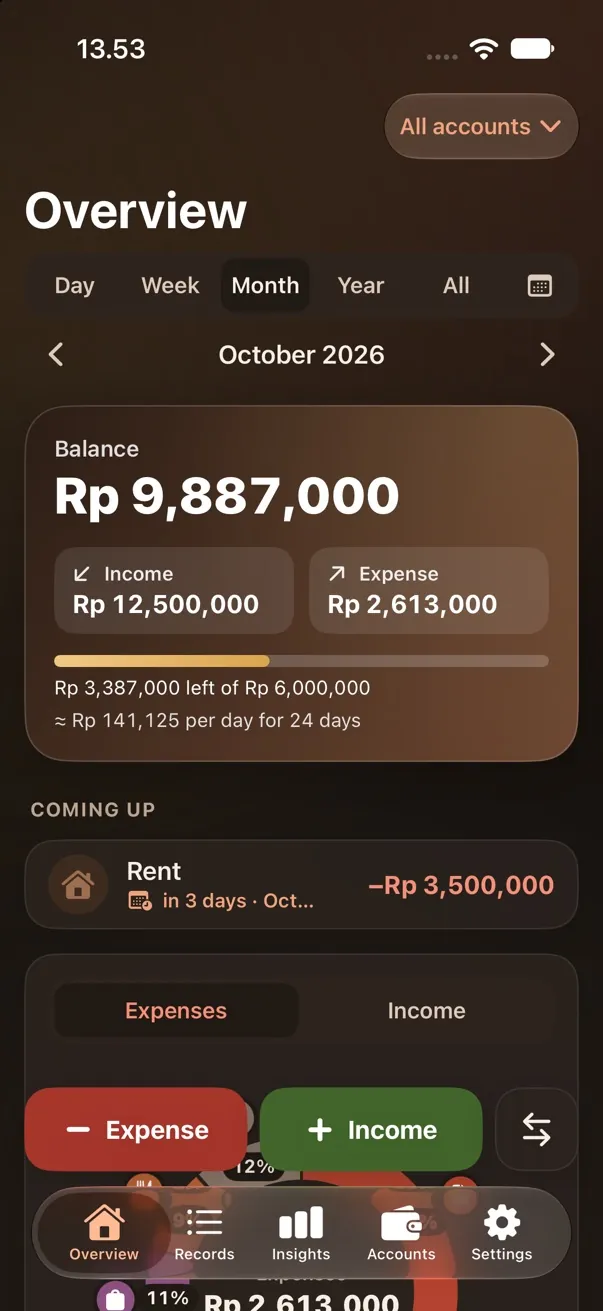
Your balance, what's left to spend per day, and what's coming up, right on the first screen.
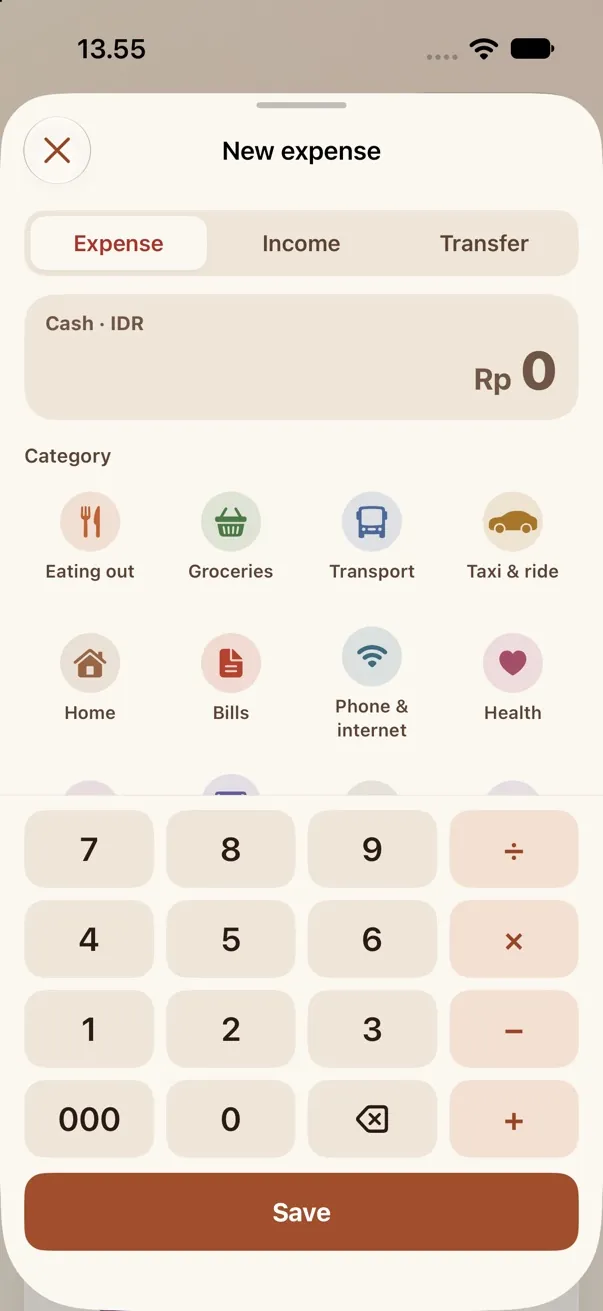
Say it, scan it, or tap it in. Piggy Pocket fills in the amount, category and date, and shows you the list before anything is saved.
Each part of the sentence becomes its own record. On iOS 26 your voice is processed on the iPhone, even with Siri off.
The real total, not the subtotal, the cash or the change. The photos aren't kept.
Do the maths right in the amount, with a 000 key for rupiah and your favourite categories first.
The way people actually talk about money in Indonesia, including days and accounts.
Export a CSV or Excel file from your old app, Monefy included, then choose Settings › Import from another app. Check the preview, and your history comes along.
A budget you can see, bills you won't miss, and numbers that are easy to read.
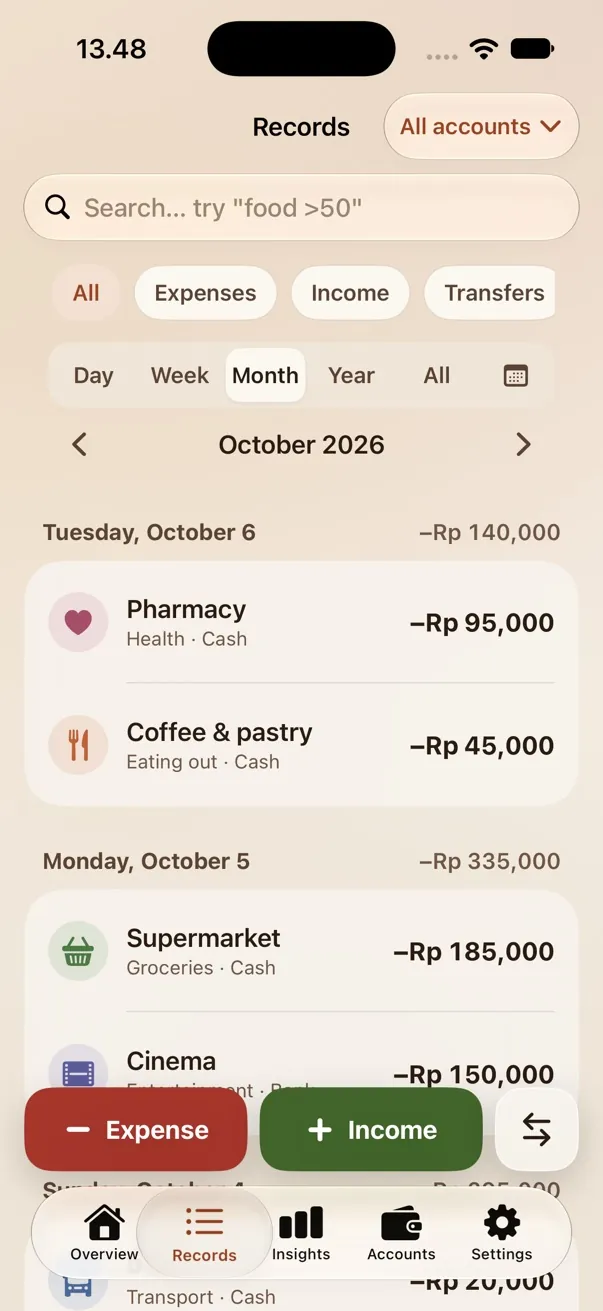
Grouped by day, with a search that understands amounts. Try typing “food >50000”.
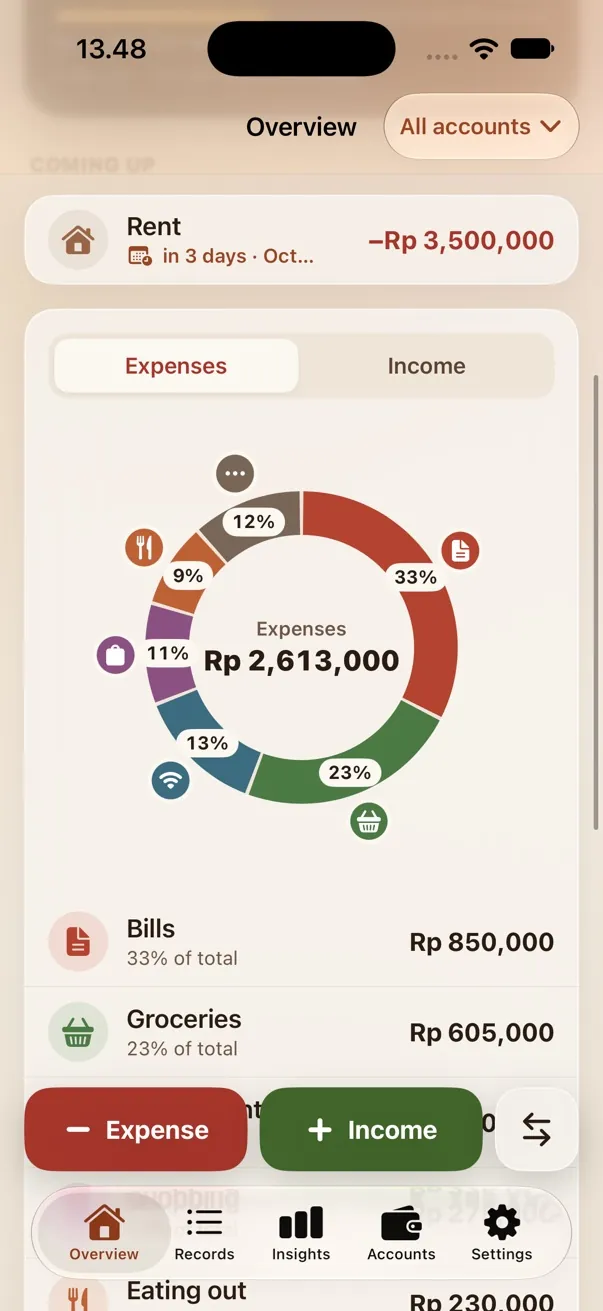
A donut by category with shares and icons. Tap a slice for details, or its icon for every record in it.
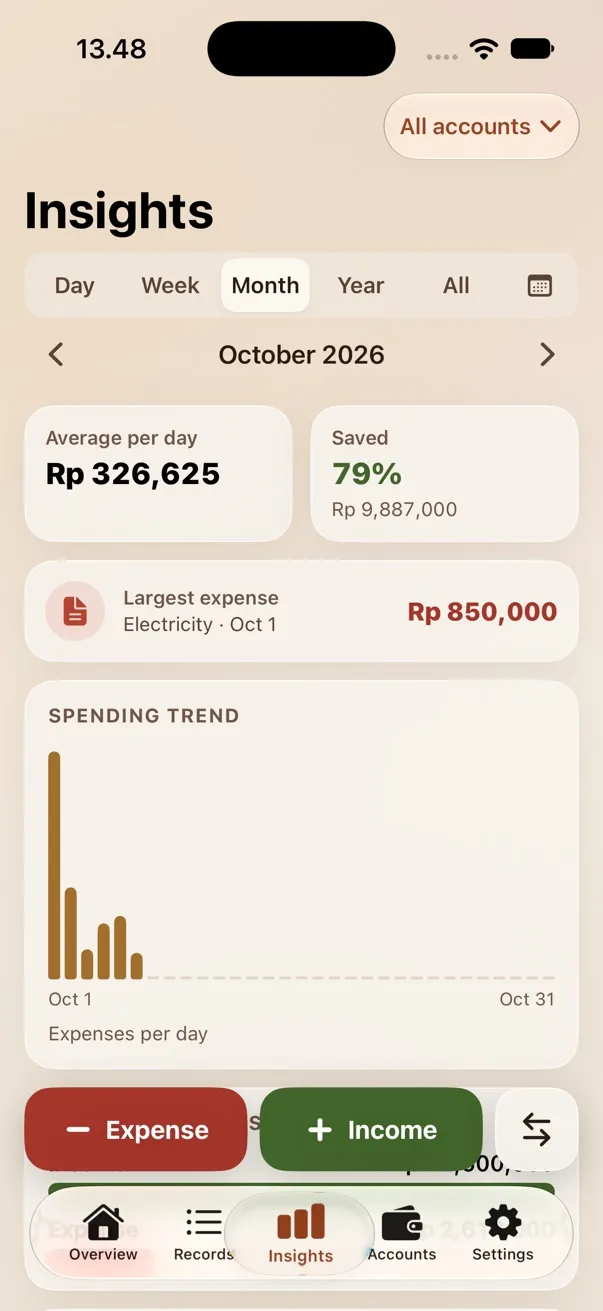
Average per day, how much you saved, your largest expense and the spending trend, for any range.
*In our voice test: Indonesian sentences spoken in a quiet room and turned into text by Apple's speech recognition.
“kopi 5000, nasi goreng 35 ribu, parkir 2000”
“kemarin makan bakso 15000”
“dapat gaji 5 juta”
“grab ke rumah 25 ribu pakai BCA”
Sign in to sync, or use it without an account. No ads either way.
Sign in with Apple, Google, or your email and a password. Your records sync and open on your other devices.
Choose Continue without an account, and your records stay only on this iPhone.
On the App Store, for iPhone with iOS 17 or later.
No. Sign in with Apple, Google or your email to sync your records across your devices, or choose Continue without an account and everything stays on this iPhone. You can create an account later from Settings, and your records come along.
Not on iOS 26 or later: the voice model downloads once and then works on the iPhone with Siri and Dictation off. On older iOS, Siri or Dictation must be on, and the app shows you how. You pick the voice language yourself, Indonesian or English.
Yes. Export a CSV or Excel (.xlsx) file from your old app, then choose Settings › Import from another app. Piggy Pocket shows a preview first, and you can undo the import.
All of them. The rupiah is the starting currency, and each account can have its own. Rates are typed in or fetched with Get today's rate, and currencies without decimals get a 000 key on the keypad.
From Settings in the app, or email us. The account and all of its synced records are removed from the server right away.
Not yet. Piggy Pocket is made for iPhone first.

Get Piggy Pocket for iPhone. Questions or ideas? We'd love to hear them.
 Write to support@piggypocket.id